
Deleting a Project in cPanel SEO takes but a few clicks.
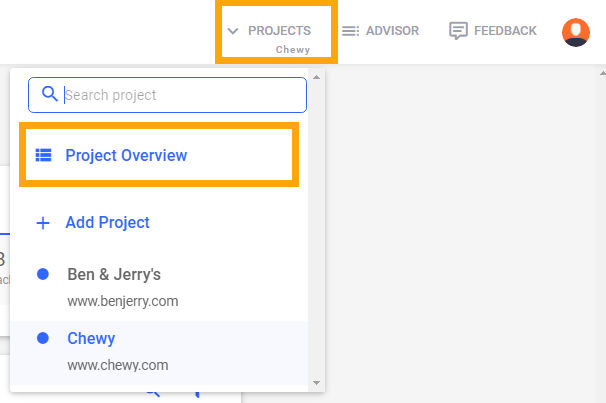
You can delete Projects in the Project Overview. To get there,
- Click the Projects dropdown in the top right corner
- Go to Project Overview
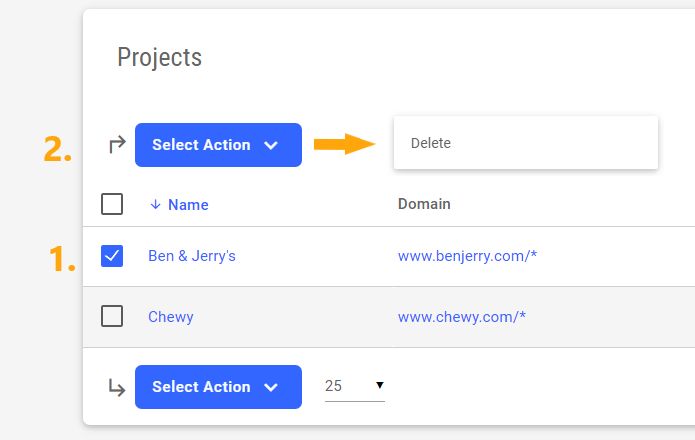
In the Project Overview,
- Flag the Project you want to delete
- Click Select Action→ Delete
Done. You've now successfully deleted a Project.
Comments
0 comments
Article is closed for comments.